is helpdesk 2026
What Is a Helpdesk? A Complete Guide to Helpdesk Software and Features
What Is a Helpdesk?
A helpdesk is a unified system for managing, tracking, and solving issues, requests, and questions that users may have about a product, service or technology. With helpdesks, organizations can centralize all inquiries/assistance questions in one location so users (internal and external) have an easy way to find the answers they need.
Helpdesks are often found within IT service management, customer support organizations, etc. The main goal of helpdesk software is to ensure that user issues are resolved in a timely, consistent manner and conform to service standards set by the organization.
What Is Helpdesk Software?
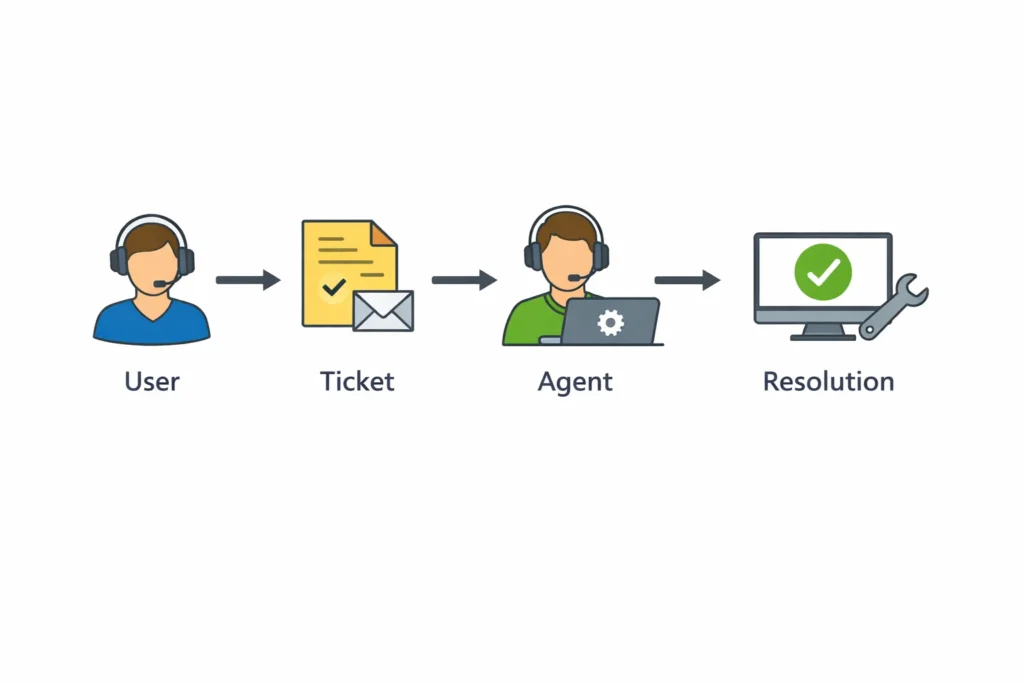
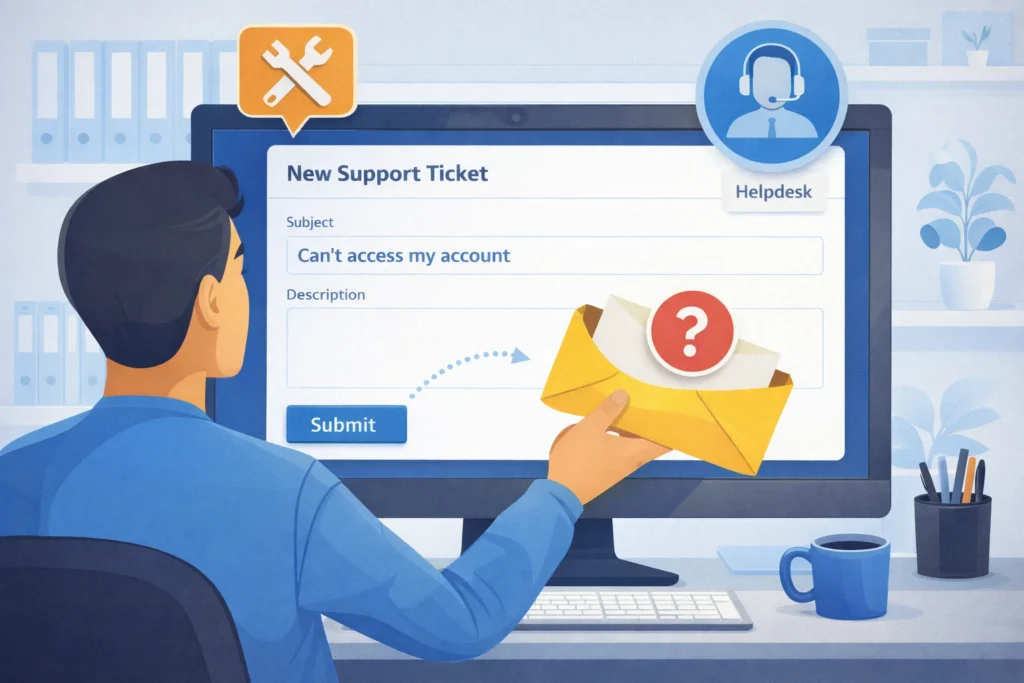
Helpdesk software is an electronic tool that enables the initial processes of helpdesks. Helpdesk software collects support requests from many sources (e.g., email, chat, web form, phone, etc.) and organizes those requests into tickets.
Helpdesk software allows support teams to collect all their incoming requests in a single location rather than manage many disparate inboxes or track individual requests manually.
Using this structured method for managing requests, helpdesk software allows support groups to:
- Track all pending issues in one location
- Assign tickets to the appropriate support agent
- Monitor response time and ticket status
- Maintain diligence
By using this structured approach, helpdesk software increases efficiency and improves the user experience of receiving support.
What Is Helpdesk Software? Definition, Benefits, and Key Features Explained
Definition of Helpdesk Software
Helpdesk software is defined as an online tool that organizations utilize for tracking, organizing and resolving customer or internal support requests. It is through a centralized platform that all customer support requests are received, organized and worked through by utilizing the helpdesk ticketing system. By using this solution, all support requests are managed in a single location rather than using multiple methods such as email, spreadsheets, and phone calls. This enables faster and more coherent response from support teams.
How Helpdesk Software works
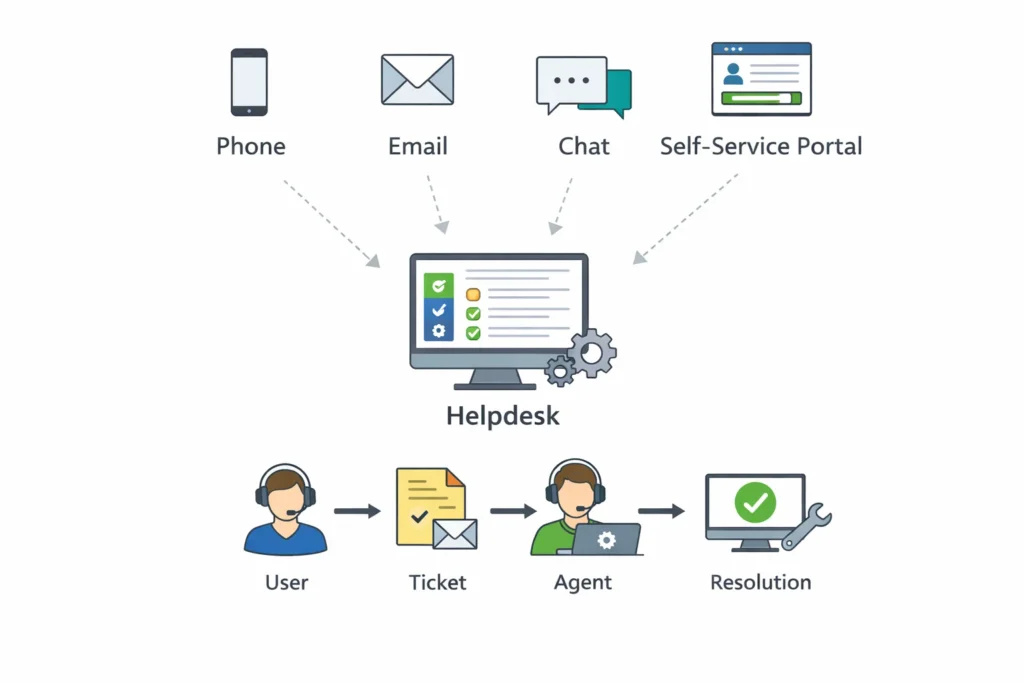
To gain further insight into the definition of helpdesk software, let’s explore how it actually works:
- A user sends in a support request via email, chat, a web form, or by calling;
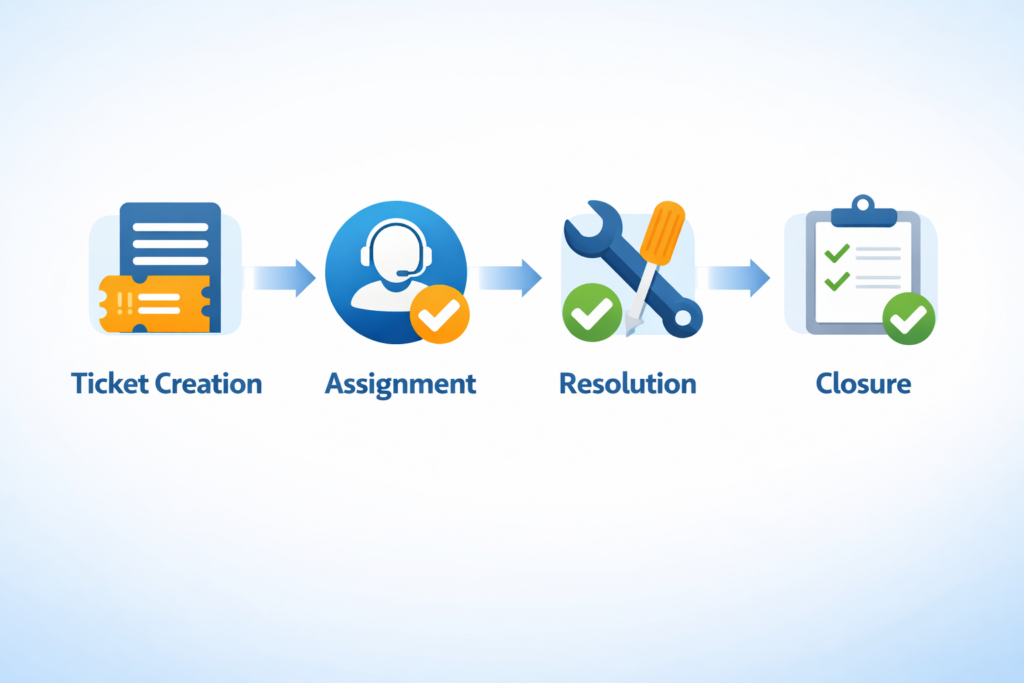
2. The helpdesk software generates an automatic support ticket;
3. The support ticket is sorted by category and priority, and assigned to a support agent;
4. The support agent works on the support ticket;
5. When the support ticket has been resolved, it is closed and the results logged for analysis and reporting.
This process guarantees that every support request will be tracked and resolved in an organized manner without risk of missing any requests.
There are many important aspects associated with helpdesk software today that assist organizations by increasing their ability to provide better support and an enhanced experience for customers.
Key Characteristics of Helpdesk Software
A ticketing system is the basis of any helpdesk software because it offers an efficient method for tracking the entire lifecycle of every ticket, thus allowing employees to easily assign and manage tickets. A multi-channel helpdesk application can be utilized from one central point to provide support for multiple forms of communication including email, live chat, telephone, social media, and self-service.
One way that helpdesk software facilitates efficiencies is through automation. This means that the application will perform actions on behalf of the user such as assigning a ticket or sending status updates automatically, and escalating unresolved tickets if necessary. By streamlining the day-to-day tasks, this allows employees to concentrate on resolving customer issues rather than focusing solely on managing their tickets.
The built-in knowledge base option helps end-users solve their own problems without having to submit a ticket. It provides users with multiple forms of content including FAQs, tutorials and guides.
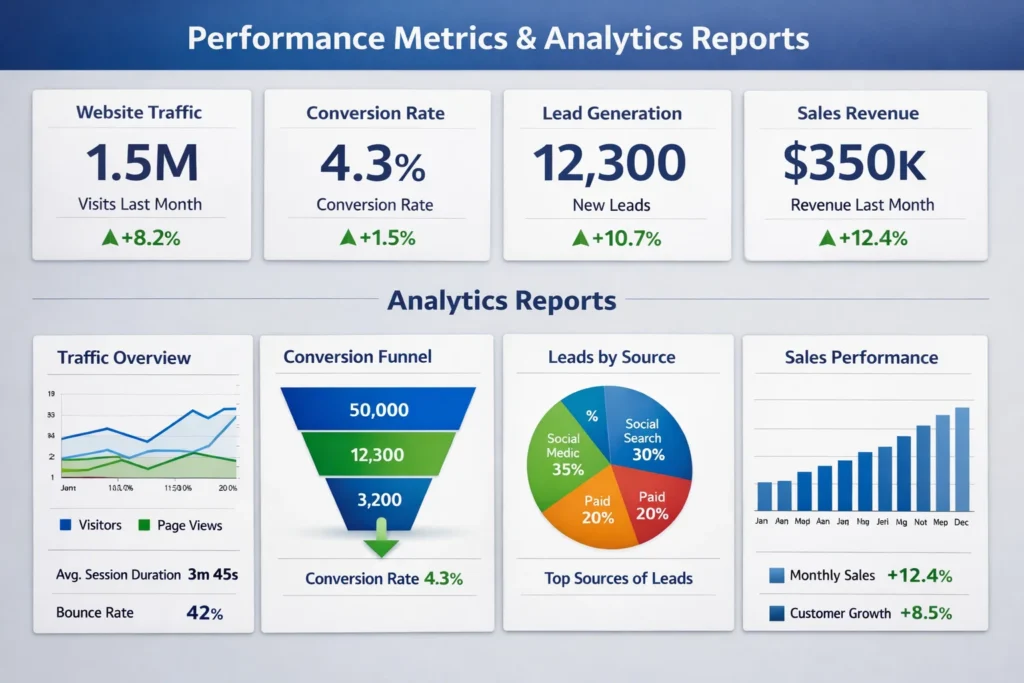
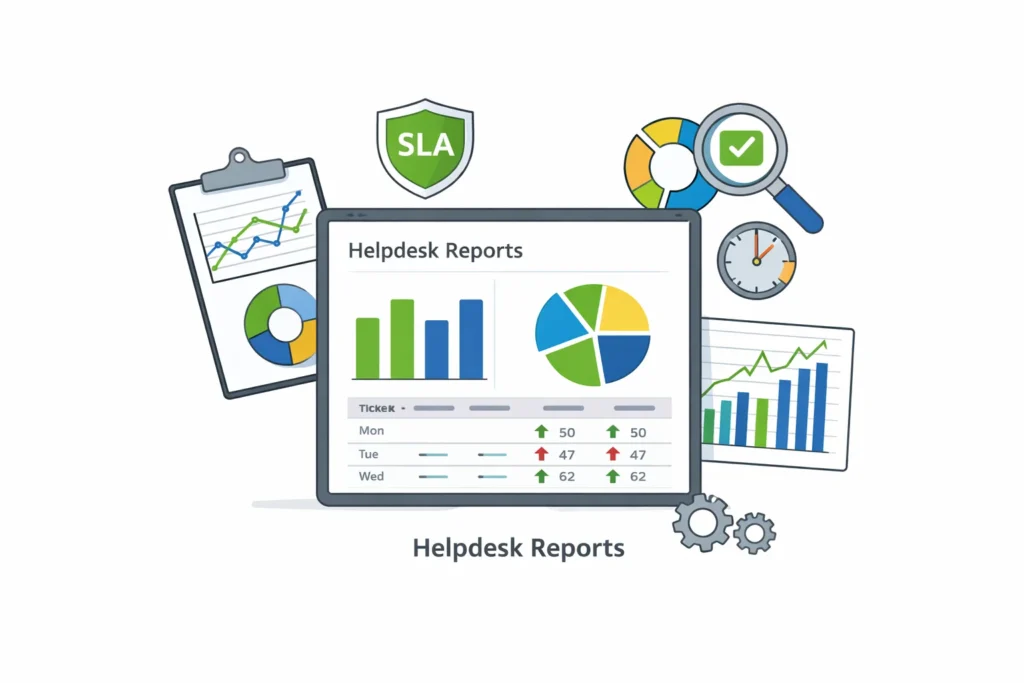
Reporting and analytics capabilities of helpdesk software allow organizations to generate reports that will provide an overview of their helpdesk performance, including ticket volume, resolution time, resolution rate and level of agent performance. These analytics allow organizations to enhance their support processes.
Using Helpdesk Software: The Advantages to Organisation
The advantages of helpdesk software will be obvious when you take the time to understand what it is.
Improved Resolution Times for Support Requests
With automated ticket triage and routing, the wait time for customers to receive a response as well as the time it takes for an agent to resolve an issue is drastically reduced.
Easier Tracking and Managing Support Requests
All ticket information is stored in the same system, allowing both support management and agents to easily access current status and workload on assigned tickets.
Customer Satisfaction and Trust Have Increased
Prompt and reliable responses from the helpdesk have resulted in increased satisfaction and trust between customers and companies.
Increased Agent Productivity
The ability to utilise automated and collaborative tools allow agents to increase the speed and accuracy of their work.
Utilising Analytics and Reporting to Improve Service Levels
Reports and analytics provide insight on trends, bottlenecks, and opportunities for improvement for agents and the company.
Who Uses Helpdesk Software?
Companies that support customers through helpdesk software include:
- Companies with call centres
- Companies with IT desktops
- Small businesses who have outgrown the current method of managing escalating volumes of requests
- Companies that require SLA-based support for large numbers of requests
All businesses that have a high volume of incoming requests and/or assist customers repeatedly have the ability to benefit from helpdesk software.
Comparing Helpdesk Software to Traditional Methods of Customer Support
Helpdesk software provides support organisations with the capability to:
- Track incoming requests from a single location
- Have clear ownership of resolved issues
- Automate workflows
- Monitor their performance through measurable metrics
This allows businesses to provide better, more consistent, and more cost-effective support operations than ever before.
What Is a Helpdesk and How Does It Work? Everything You Need to Know
A helpdesk is a centralized location for tracking, managing, resolving user problems, questions and service requests. It is a critical part of IT service management/customer support ensuring that user issues are handled consistently and efficiently.
You’ll learn all about what a helpdesk is, how it works, the types of helpdesk offered by different organizations & types of organizations that rely on a helpdesk in this guide.
What Is a Helpdesk?
A helpdesk is a service point where users contact an organization to get help with technical issues, service requests or general questions. Most companies will use a helpdesk system to help their IT department, customer support team or human resources department, some companies will also use the helpdesk system to provide support internally for employees.
A helpdesk may be run by persons, software or a combination of both ways.
What Are the Functions of a Helpdesk?
The functions of a helpdesk include:
- Receiving support requests from users
- Organizing requests into tickets
- Assigning tickets to the appropriate support agent
- Tracking progress and response time of tickets
- Resolving pending and/or escalating to next level if not able to resolve
- Documenting how to resolve a ticket (for future reference).
The goal of a helpdesk is to help customers in an efficient, consistent manner to respond to their request.
How to use the Helpdesk
There is typically a specific set of guidelines that will be used throughout the helpdesk process:
- Submission of Issues by User
When submitting an issue you can choose one of the following methods of communicating with the Helpdesk:
- WEB FORMS
- LIVE CHAT
- PHONE CALLS
- SELF SERVICE PORTALS
Each submission will create a ticket in the helpdesk system.
- Categorization and Prioritization of Tickets
When a ticket is created in the helpdesk system it can automatically or manually be assigned a category (ex. billing or accounting, etc.), as well as priority.
- Different Helpdesk Agents or Teams for Related Issues
When a helpdesk ticket is created, the helpdesk staff will assign it to the most qualified person or team, based upon their skill set, availability or the use of automation.
- Resolution of the Issue
The helpdesk staff will work to determine what the problem is and offer the appropriate resolution, if needed, and escalate it to the applicable person or department, if necessary.
- Closure and Documentation of Ticket
Give the resolution of the issue:
- The ticket is closed
- Documentation of how the problem was solved and added to the knowledge base for reference.
The Different Types of Helpdesks
The different types of helpdesks include:
- IT Helpdesk
This type of helpdesk focuses on providing internal technical support for problems such as hardware, software or network issues.
- Customer Service Helpdesk
This is a customer service style helpdesk which fields inquiries from customers about their purchases, orders, accounts, etc.
- Internal Helpdesk
An internal helpdesk that is mainly used to answer questions pertaining to employee issues (i.e. HR, facility, etc.)
- Cloud-Based Helpdesk
Access to a cloud-based helpdesk can be accessed from anywhere and is mainly for use by remote workers.
Common Characteristics of a Help Desk System
Most modern Help Desk Systems provide support ticket management, automated workflows, knowledge base support, SLA tracking, multi-channel support for your customers, User Self Service Portal (Web Portal).
The above systems enhance the business by reducing time to resolve issues, improving the quality of service offered, and allow you to better organize support requests while providing improved performance metrics and reports for each support request.
Using a Help Desk System can lead to:
- Timely Resolution of issues
- Improved Customer Satisfaction
- Improved Management of your Support Requests
- Accountability to both the Customers and your Support Staff
- Insights through support request reports
- Improved Workload Efficiency by automating processes and enabling customers to serve themselves.
What Is the Difference Between Help Desk And Service Desk?
Help desks provide reactive support to resolve issues for users. Service desks provide a more comprehensive approach by managing the life cycle of IT Support Services, processes and continuous improvements to those services.
In summary:
- Help Desk → Reactive Support
- Service Desk → Strategic Management of Services
When Should You Use a Help Desk?
You should look into implementing a Help Desk System if:
- You receive frequent requests for support
- You experience lost or delayed requests
- You need better management and reporting of your Support Requests
- You have declining Customer and Employee Satisfaction
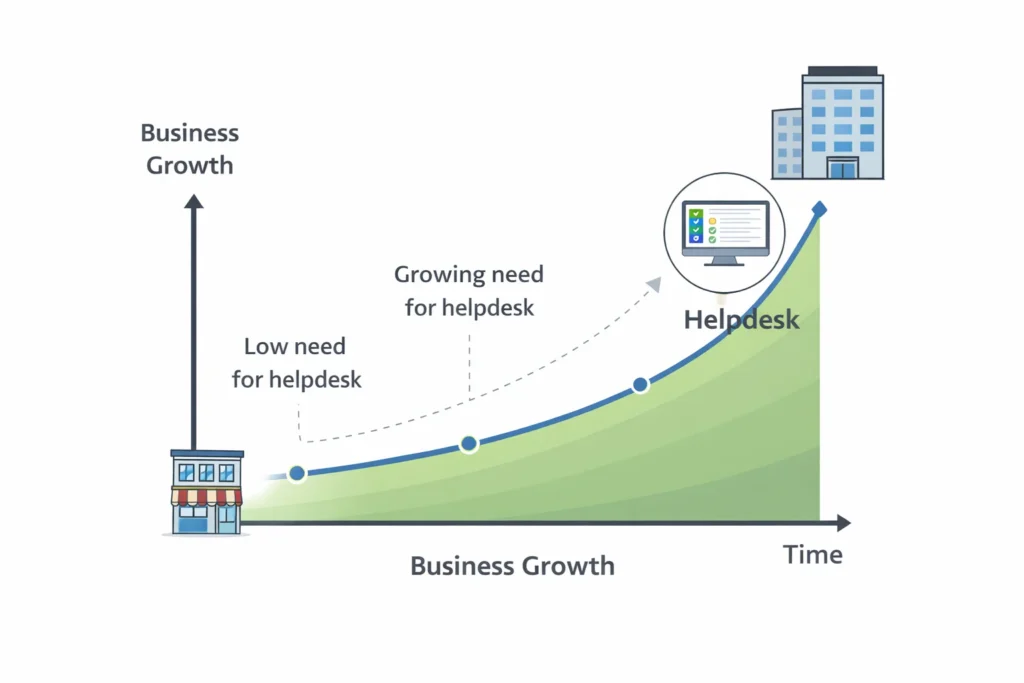
Small businesses can also benefit from implementing a basic help desk system.
What Is a Helpdesk? Comparing Helpdesk Software, Features, and Use Cases
A Helpdesk is a system that is used by an organization to assist them with managing their support requests from users or customers, as well as resolving those issues as quickly as possible. In addition to supporting the tracking of tickets, today’s helpdesk software includes many additional advanced tools such as automation features, data analytics, and support through many different channels.
This article will define a helpdesk, review several options for software to use as a helpdesk, detail the key features that you should look for when selecting a helpdesk, and provide some common uses of a helpdesk.
What is a Helpdesk?
A Helpdesk is the location in which incoming support requests are received. They are sorted and resolved based upon urgency. Each incoming request is entered as a ticket into the helpdesk. Tracking all requests completed and managing the ongoing response process through a centralized helpdesk allows organizations to provide prompt responses and effectively manage their support operations.
Helpdesks are utilized in many different business sectors and address the support needs of customers, employees, IT systems, and digitally-based products and services.
What is Helpdesk Software?
Helpdesk software is the application that automates the helpdesk process and helps to manage your Helpdesk. By implementing helpdesk software, an organization can provide a consistent and complete approach to handling support requests and provide the ability for its employees to handle high volumes of requests using one support channel.
Most helpdesk software provides the following options for incoming requests for support:
- Live Chat
- Web Form
- Telephone Support
- Social Media
- Self-Service Portals
All incoming requests are converted to tickets and stored within the Helpdesk Software.
Common Features of a Helpdesk Platform
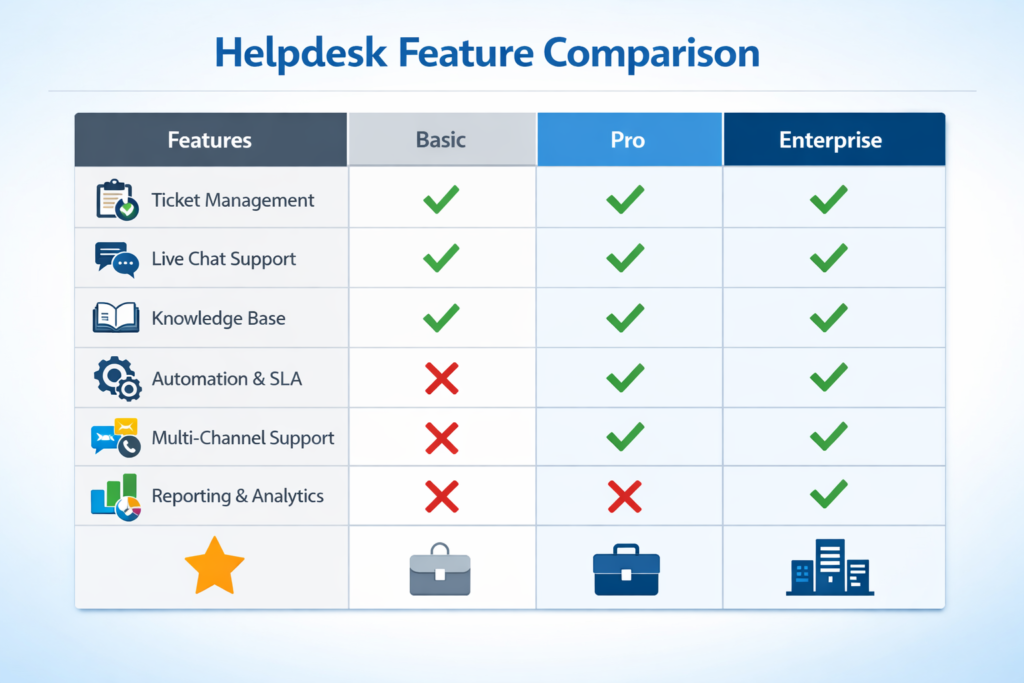
Below are some of the common features of most helpdesk platforms when comparing helpdesk products to help you decide which is right for your business:
Helpdesk Ticket Management
A centralized process for creating, assigning, prioritizing, tracking, and managing tickets.
Helpdesk Automation & Workflows
Rules to automatically assign tickets to the right people, send notifications, or escalate tickets.
Helpdesk Knowledge Base
An online library of articles and frequently asked questions (FAQs) that users can search through to find answers to common questions or resolve issues themselves.
Multi-Channel Support
Provides a single place to handle requests from multiple channels (e.g. email, chat, phone, social media).
Helpdesk Reporting & Analytics
Provides metrics for measuring helpdesk performance, including response times, resolution times, and customer satisfaction scores.
Helpdesk Service Level Agreement (SLA) Management
Provides support for managing service level agreements (SLA) to ensure that issues are resolved within specified service level timelines.
Types of Helpdesk Software
Cloud-based Helpdesk
Hosted on the Internet, accessible from anywhere; easy to scale; low upfront cost; ideal for remote teams and growing companies.
On-premise Helpdesk
Requires installation on company servers; provides complete control over your data; generally incurs higher upfront and maintenance costs; ideal for businesses with strict data requirements.
Open-source Helpdesk
Allows for customization; no software licensing fees; requires a certain level of technical ability; ideal for technology-oriented teams with development capabilities.
The Most Common Use Cases of Helpdesks
Technical Support
for IT-related problems such as forgotten passwords, software errors, hardware malfunctions, network connectivity issues, etc.
Customer Support
for inquiries about products or services, payment issues, client dissatisfaction, or returns.
Employee Support
for Human Resources, building operations, and internal support of tools.
Software-as-a-Service (SaaS) and Software Companies
Technical Support, Bug Reporting, and Customer Onboarding
Illustrations or icons that represent the different types of helpdesks.
Selecting A Helpdesk
There are many different factors to consider when choosing a helpdesk solution for your organization:
- The Size of Your Supporting Staff
- The Number of Tickets You Receive Each Month
- The Support Channels You Require
- How Well It Integrates With Existing Technology/Processes
- Your Budget and Future Growth Potential
When selecting a helpdesk solution, it is important to choose one that will not only streamline your current process but also help you alleviate some of the former complexities involved with technical support services.
Helpdesks Versus Service Desks
Helpdesks Traditionally Focus on Quickly Resolving Individual Issues While Service Desks Are Larger Intermediate/often Long-Term Efforts to Manage IT Services, Processes and Long-Term Improvements.
For Most Organizations Helpdesking Provides a Backbone for Structured Support.
What Is a Helpdesk? Definition, Examples, and How to Choose the Best Helpdesk
Definition of a Helpdesk:
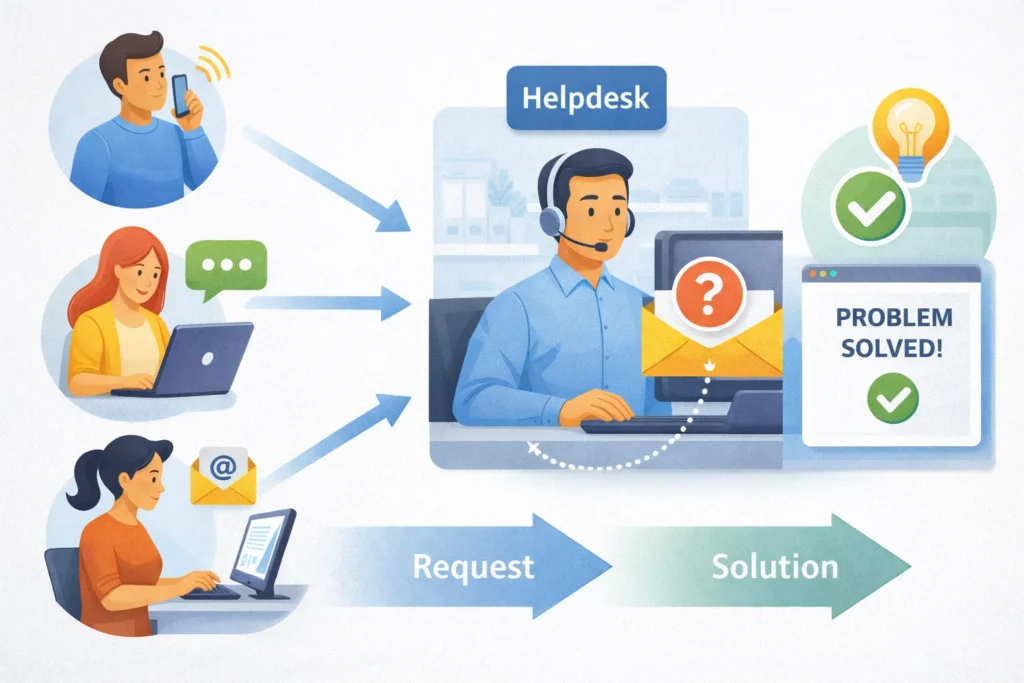
So, what’s a helpdesk? A helpdesk is an organization or function in which a group of individuals work together to assist customers, employees, and others with any issues they may have with a company’s products, services, or technology.
Companies, governmental agencies, and many nonprofit organizations utilize helpdesks to provide assistance to their clients, utilizing helpdesks as the central point of contact for all problems, inquiries, or concerns associated with their products, services, or technology.
What Can Helpdesk Do?
To understand what a helpdesk does, we need to look at the role of a helpdesk. A helpdesk’s core duties are:
- Receiving and Tracking Requests for Help (aka Tickets)
- Prioritizing and Assigning Tickets to the Correct Helpdesk Agent
- Maintaining Communication between User and Helpdesk during Problem Resolution
- Providing Documentation of Solutions to Users and Other Helpdesk Agents for Future Reference
- Measuring Helpdesk’s Performance (reports and metrics) over Time
By ensuring that support requests are tracked and handled in a timely manner, well-managed helpdesks can help companies reduce downtime and improve user satisfaction.
Types of Help Desks
There are different help desks for different purposes/people, so to understand what a help desk is, it’s helpful to understand the different kinds there are.
- IT Help Desk
An IT help desk is for employees to get help with their technical problems (Software, hardware issues, and request access etc.).
- Customer Support Help Desk
A customer support help desk will assist customers with questions about their product, complaints, onboarding/training, and troubleshooting.
- Service Desk
A Service desk is an advanced version of a help desk that is focused on service management, processes, and long-term improvements.
- Internal Help Desk
An Internal Help Desk may be used by a company for administrative, Human Resources (HR), and Facilities type of things.
Help Desk Examples
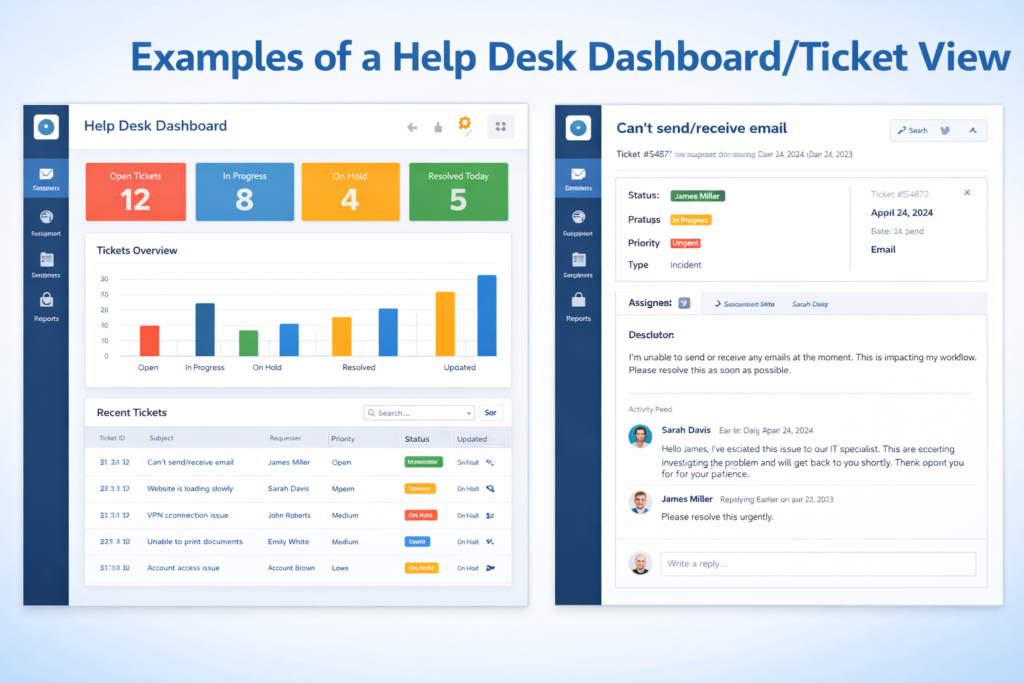
To clarify what a help desk looks like in real life, here are examples of help desk use:
- A software company uses a help desk to respond to customer inquiries both by chat and email.
- An IT department uses a help desk to manage employee password resets and to report on outages that have occurred.
- An eCommerce company uses a help desk to track returns, process refunds, and resolve delivery issues.
As you can see, help desks are not limited to one industry or type of company. They may be used in many different industries and company sizes.
Advantages of Helping Customers Through a Helpdesk
To know What is a Helpdesk is to appreciate the benefit of providing help to customers. Some benefits of using a helpdesk are:
- Quick Response to Users
- The organization of Support Requests
- Improved Communication Between Users & Helpdesk Staff
- A system for Tracking and Consistency in Confirmed User Support Completion
- Increased Satisfaction of Both Users and Staff Supporting Users
A helpdesk provides an organized method for a user’s request to be addressed and not lost.
The Determine the Most Appropriately Suited Helpdesk for You
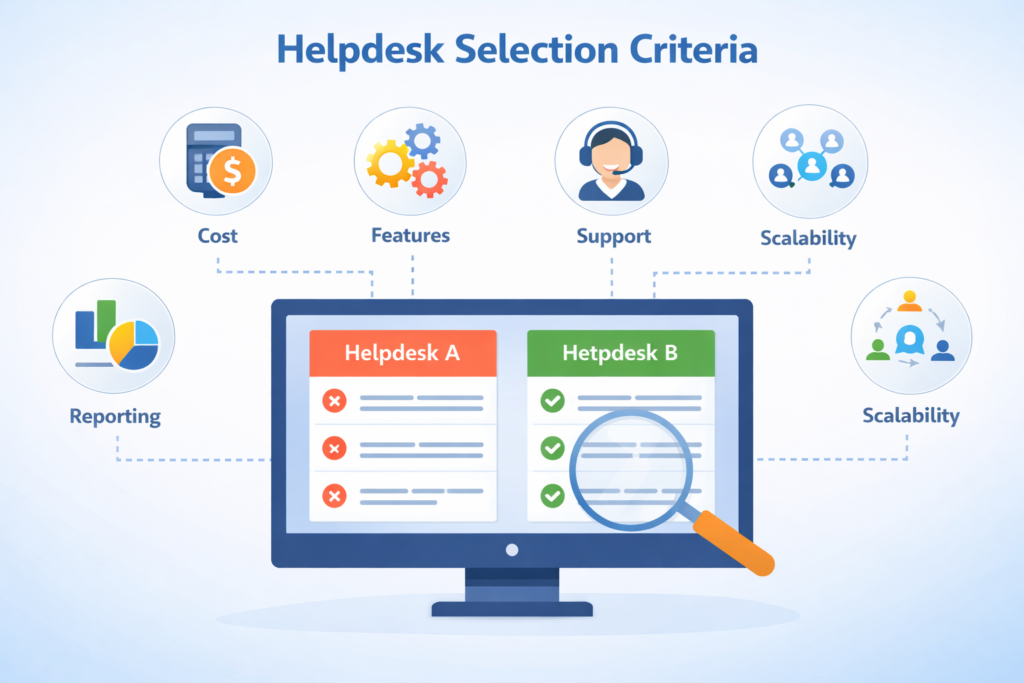
Determining which helpdesk option is best for you is important. The following factors should be considered when selecting the best helpdesk for you:
- Navigation Ease
Helpdesk software should provide for effortless navigation by both Users and Helpdesk Staff.
- Available Support Channels
Search for a Helpdesk Software that provides you with all types of support channels, such as Email, Chat, Phone, and Self-service options.
- Automation & Ticket Management
Helpdesk Software that provides Automatic Ticket Assignment, Ticket Tagging, SLA Management, helps to save time and reduce errors.
- Reports & Analytics
Good Reporting will help you measure the performance of everyone involved in providing User Support and assist you in improving Support Quality.
- Scalability
Select a Helpdesk that has scalable growth with your business.
Helpdesk vs. Service Desk
People interested in the Helpdesk Software also may ask How is the Helpdesk different from a Service Desk?
The Helpdesk focuses on providing Immediate Help to Users.
The Service Desk assumes a further reach that encompasses all Services Provided to Users, as well as a long-term approach to Support Addition, Improvement and Repair of Processes for Supporting Users.
Ideal for small to mid rappeler
Conclusion
An efficient helpdesk can improve your company’s efficiency, reduce frustration and enhance your customer’s overall experience irrespective of whether your company is a small entity or an expanding enterprise. To select the best helpdesk solution, you should first define your unique needs and requirements, then evaluate the fundamental features of each potential solution, and lastly, choose a helpdesk that can scale along with your company over time.
To summarise, when you understand the role of a helpdesk and how to identify one that is appropriate for your needs, you enable your staff to provide dependable, professional and timely support to your customers.